Where's <Redacted>
Welcome
Welcome to the Department of Freedom Is Bought (FIB).
We ensure that every civilian in our Beautiful Nation enjoys unlimited access to Freedom™.
This privilege is maintained through a PATRIOTIC monthly subscription, tiered by Freedom Levels™. While millions of loyal PATRIOTS have fulfilled their civic duty, a dangerous minority has chosen non-compliance.
Your assignment is simple: Track them down. Identify them. Capture them.
You will accomplish this by leveraging technology to rapidly move through public and private systems, gathering information and identifying your targets as they are given.
However, before being released into the real world, you are required to complete mandatory training. This training will take place in a classified underground facility.
Important information before deployment:
-
Due to recent budget cuts, your workstation will not be equipped with a mouse. We trust you are comfortable typing.
-
Due to the remoteness of this facility, staffing has proven difficult. As a result, several retired prototype systems from the 1980s have been recommissioned for instructional use.
Upon successful completion of training, you will remain on standby and await further instructions.
Please review the training documentation below.
If you require assistance at any time, simply use the help command.
===============================================================
FIB HANDBOOK Vol. <REDACTED>
===============================================================
Helpful keys
Up/Down Arrow -> Cycle through the last couple commands you ran instead of retyping them
Ctrl + C -> clears your command line
Getting to Know Your Workstation
Along the top row of the monitor is a bundle of information. Most of it is irrelevant.
The only metrics that matter are your LIVES and CAPTURE counts.
- If your LIVES reach 0, you will have FAILED.
- If you CAPTURE the required number of targets, you will have PASSED.
At the CORE of the display are two screens.
The left screen is your Terminal. You may access it immediately by typing. This is where you will spend the vast majority of the test.
The right screen displays the live camera feeds you have accessed within the test grounds. This display will respond dynamically to the commands you issue throughout training.
When you begin, the Terminal displays two sections:
1.) HELP
This page lists all available commands at your disposal, along with brief descriptions of their functions.
Typing help followed by a command name will provide a more detailed explanation of its usage.
2.) CURRENT TARGET
Upon startup, a target will be automatically selected and displayed.
If you require a refresh, simply type target.
===============================================================
Getting Started
To begin, simply type a command.
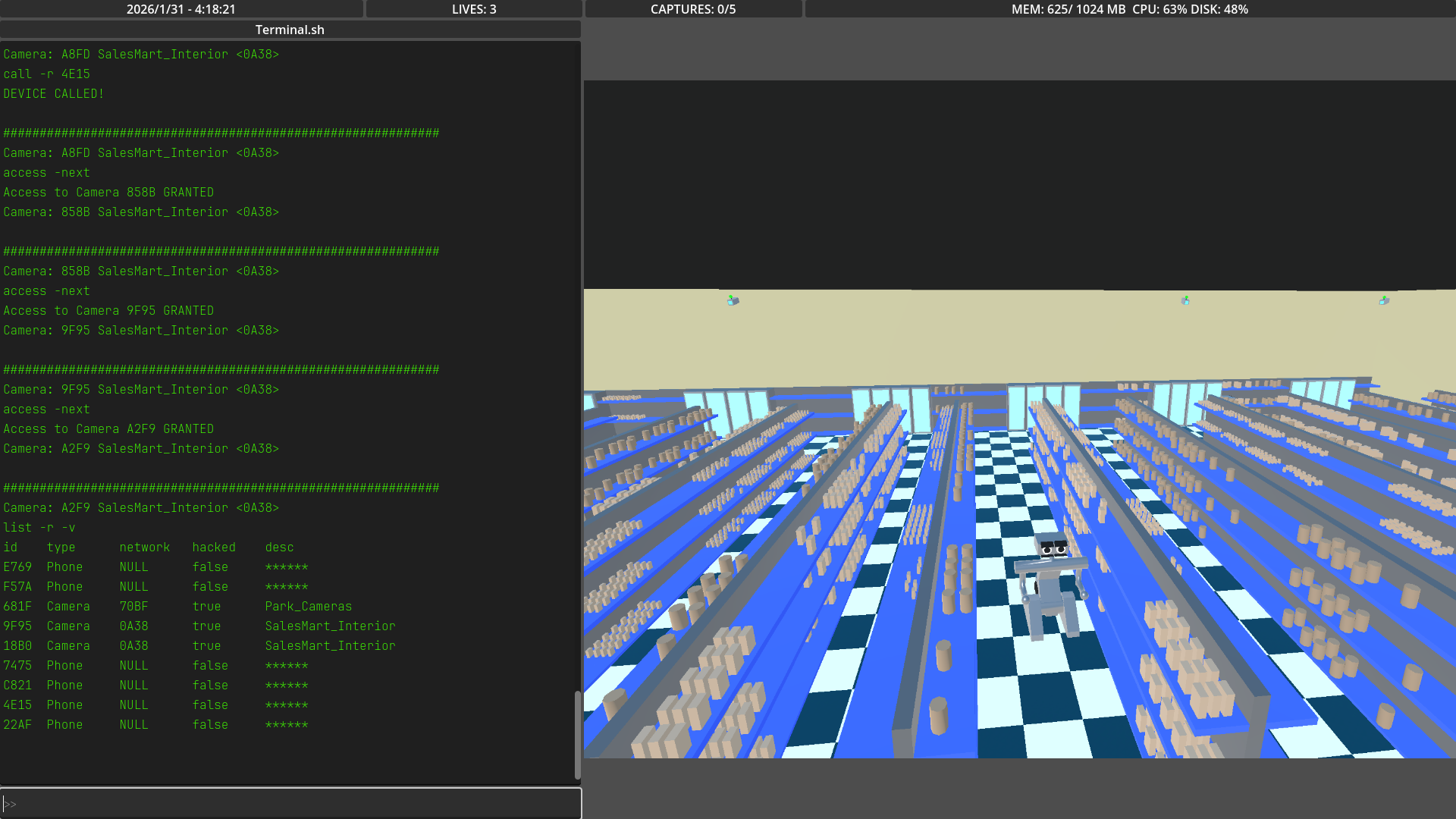
The most useful command early on is list.
The list command provides two different scopes to investigate and will surface additional information as it becomes available.
An important distinction to understand early is that there are two types of scope:
in_range (-r)
Returns any device within a fixed distance of your current location in camera space.
in_network (-n)
Returns only camera devices that are part of the same camera network.
These cameras may exist outside the distance limits of in_range.
Although these scopes may return similar information, they operate very differently. Understanding the difference is critical. Many targets will only be visible through one of them.
Hacking Devices
The next most useful command is hack.
This command allows you to unlock any device within the selected scope. As with list, hack operates using the in_range and in_network scopes.
However, hack becomes significantly more powerful when used with in_network.
Examples
hack -r <device_id>
Unlocks a single device that is physically within range.
hack -n <network_id>
Unlocks every camera connected to the specified camera network—
even if those cameras are outside of your physical range.
Camera networks are high-value targets. One successful network breach can expose an entire surveillance grid.
Accessing Devices
Once a device has been successfully hacked, you may begin moving through the environment using the access command.
The access command allows you to connect to a device and view its live feed.
Providing a scope (in_range or in_network) along with a device ID will transfer your view to that device.
Certain devices support navigation flags that allow you to move between related views without manually specifying a new device ID.
Camera Network Navigation
When accessing a camera that belongs to a camera network, the following flags are available:
-next— Move to the next camera in the network sequence-prev— Move to the previous camera in the network sequence
These flags allow rapid traversal across large camera networks once a single access point has been established.
Phone Cameras
Phone devices support multiple camera orientations. When accessing a phone, you may use:
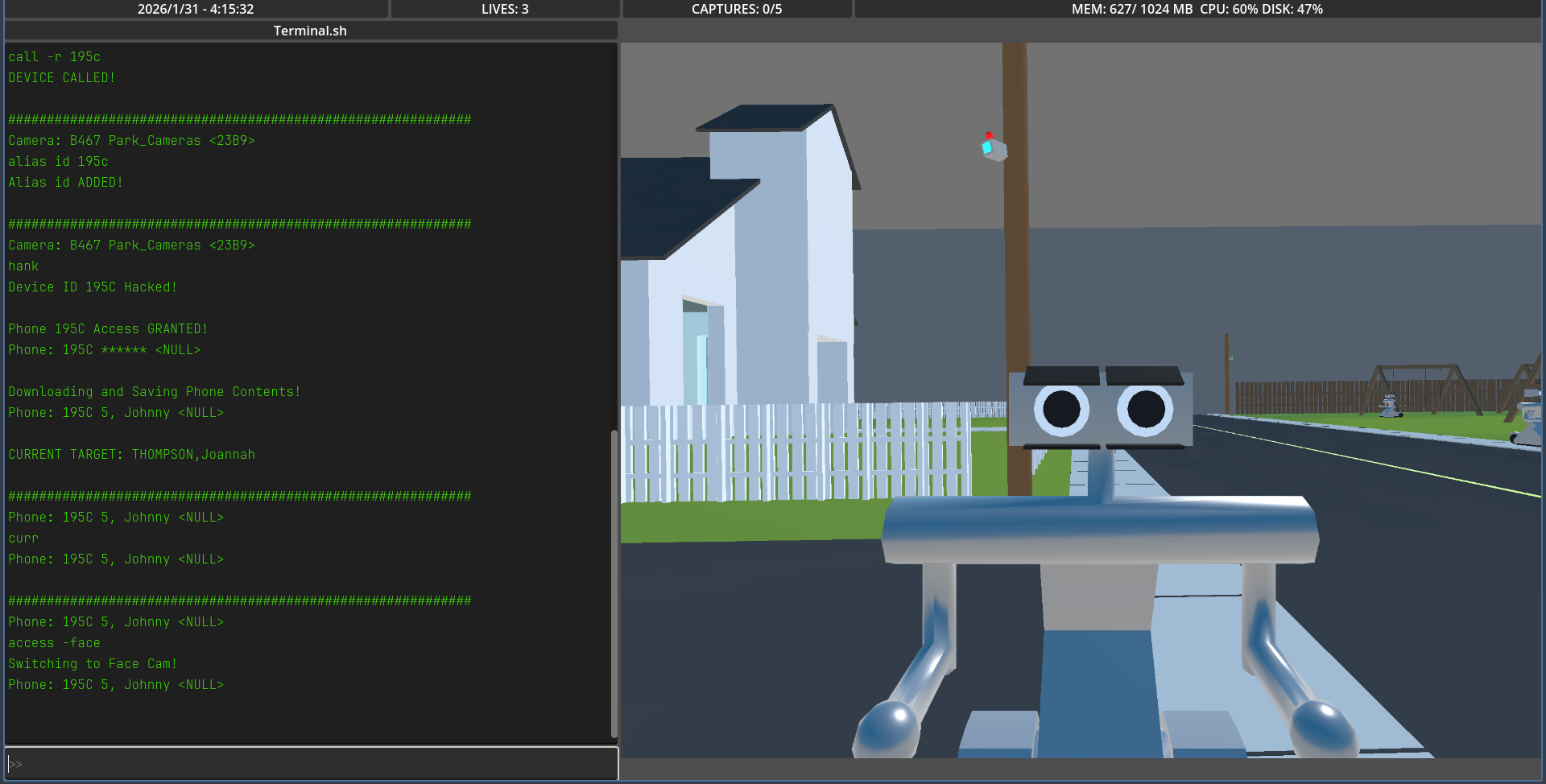
-face— Switch to the front-facing camera-back— Switch to the rear-facing camera
===============================================================
Gathering Information
Once you have successfully accessed a phone device, you may extract information from it using the download command.
Downloading a phone’s contents will reveal valuable intelligence, including the names of individuals—information that is not available through cameras alone.
If at any point you become disoriented while jumping between devices, you may use the curr command to display your currently accessed device.
===============================================================
Capturing Your Target
As you move from person to person and camera to camera, you may eventually locate your current target.
When you do, simply use the capture command.
Successfully capturing your target will increase your CAPTURE count.
However, exercise caution.
Using the capture command on an innocent civilian will result in a penalty, reducing your remaining LIVES.
Accuracy is mandatory.
===============================================================
Your Next Target
After successfully capturing a target, a new target will be assigned immediately.
All information gathered during your previous hunt remains available to you.
There are no resets. There is only the next assignment.
===============================================================
Advanced Training
It is strongly suggested that you familiarize yourself with all available commands.
They have been carefully tailored to function as tools, not conveniences.
Misuse will not be tolerated.
Underuse will not be excused.
ALIASES
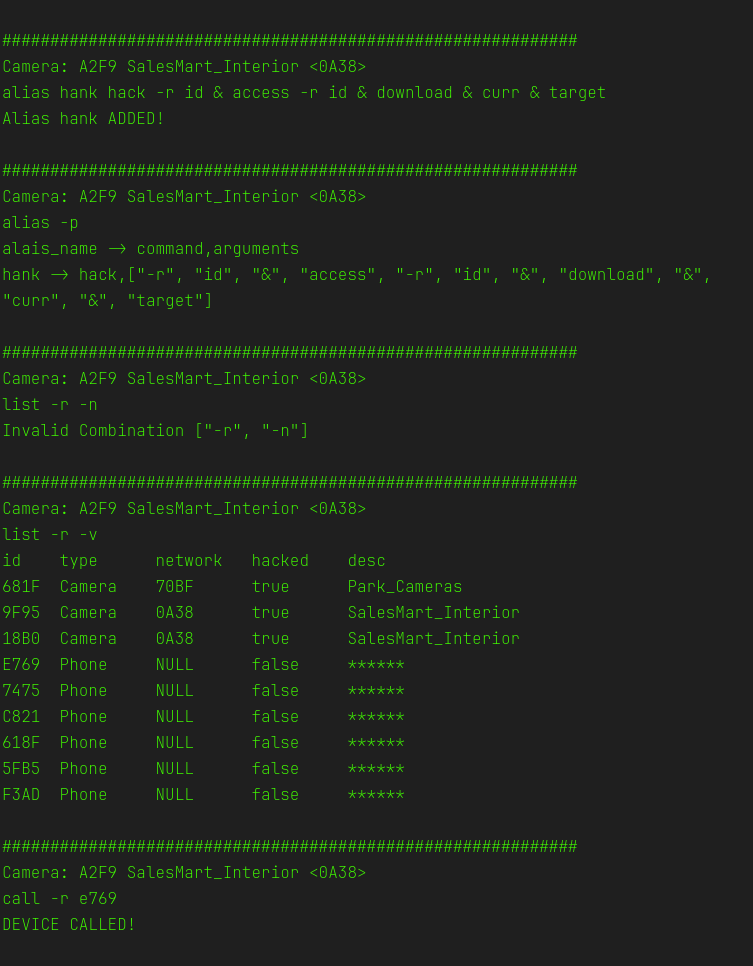
The command system allows you to define aliases—custom shorthand names for commands—should you find typing full command strings inefficient or burdensome.
An alias replaces an entire command sequence with a shorter identifier.
Example
alias lsr list -r -n
This allows you to use the lsr command in place of:
list -r -n
Aliases are expanded automatically before execution.
Chained Aliases
Aliases may reference other aliases, allowing you to construct more complex command sequences.
Example
alias cheat hack -r id
alias id 5432
Executing:
cheat
Will result in the following command being executed:
hack -r 5432
Chaining Commands
The command system supports chaining multiple commands using the & symbol. This feature enables faster workflows by allowing multiple operations to run sequentially in a single line.
Example:
list -r -v & list -n -v
-
The first command (
list -r -v) lists all devices in range. -
The second command (
list -n -v) lists all devices in the network.
Chaining works with aliases as well, so you can combine custom shortcuts with standard commands.
Leave a comment
Log in with itch.io to leave a comment.